

Products Support & Services Resources About Universal Contact
menu icon
Resources +

Stay informed with the latest news and announcements, featured in the press and on our blog.

UA Academy UniNet Compliance
About Universal +

Learn about our history and products, discover careers, and meet the team.

About Us Careers Our Team Awards and Certificates
Contact +

Connect with our team via email, phone, or in-person at our global office locations.

Contact Us
close square icon

Resources

Stay informed with the latest news and announcements, featured in the press and on our blog.

close square icon

About Universal

Learn about our history and products, discover careers, and meet the team.

close square icon

Contact

Connect with our team via email, phone, or in-person at our global office locations.

Get personalized account support or request services for databases, warranty, or repairs.

Inquire about our avionics and discover the best option to fit your aircraft.

Have a general inquiry? Submit a contact request we can get back to you.

Flight Management System Trainer

Desktop Software Program

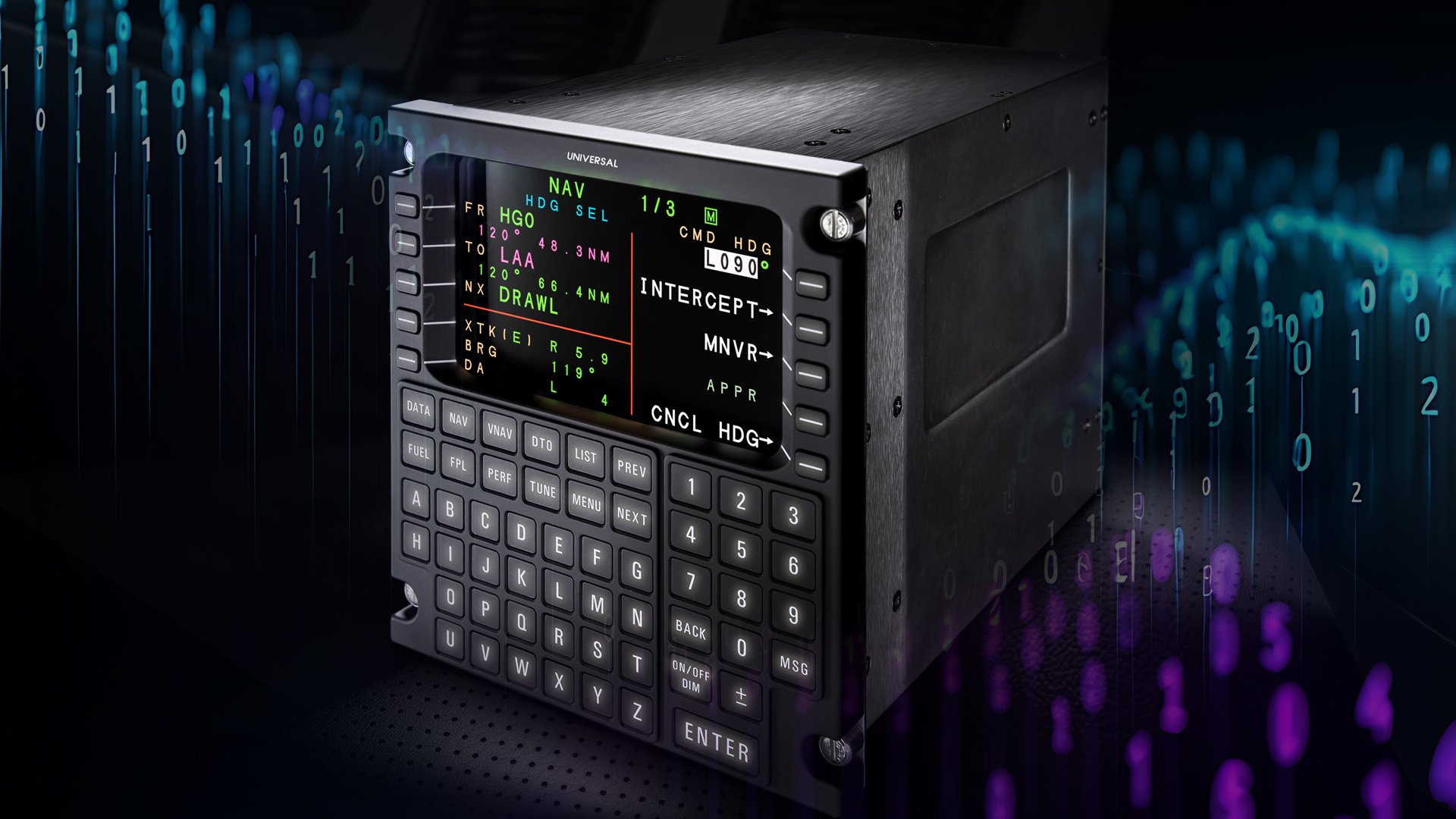
The Flight Management System (FMS) Trainer Desktop Software Program provides interactive SBAS-Flight Management Systems (FMS) training. The Windows® PC-based software loads right on your personal computer, with no other hardware required. It features a fully interactive FPCDU, and depicts Electronic Flight Instrument System (EFIS), Primary Flight Display (PFD) and Navigation Display (ND). The FMS Trainer may be used with an actual FMS Control Display Unit (CDU) or Touch CDU iPad App.

Contact Us Visit UA Academy

Overview +
Flight Management System (FMS) Trainer Desktop Software

The Flight Management System (FMS) Trainer Desktop Software Program provides interactive training for the SBAS-Flight Management Systems (FMS). The Windows® PC-based software loads right on your personal computer, with no other hardware required. It features a fully interactive FPCDU, and depicts Electronic Flight Instrument System (EFIS), Primary Flight Display (PFD) and Navigation Display (ND). The FMS Trainer may be used with an FMS Control Display Unit (CDU) or Touch CDU iPad App

FMS Trainer – SBAS or GPS Edition
CONTACT TRAINING FOR MORE INFORMATION
Airdrop Module also Available

Contact Sales for more information

Touch CDU App for FMST Desktop Software

Touch CDU iPad app provides a virtual CDU experience for students, with all the interactive functionality the physical FPCDU provides including data entry, Line Select Key selection, and Function Key selection - without the expense of purchasing the physical unit.

Download the Touch CDU App  Download the Touch CDU App

It's a perfect complement to any in-house training or familiarization program for Universal Avionics FMS.

Available for the iPad only.


Features +
Features
  • Acts as a virtual FPCDU and allows you to interact with the FMST v3.0 and later via iPad.
  • 4" FPCDU, 5" FPCDU or MCDU display options.
  • Supports FMST v1.0 and later.
  • Wi-Fi connection to PC.
Benefits
  • Cost-effective replacement for physical FPCDUs.
  • Wireless connection to computer-based training.
Requirements
  1. MS Windows® computer – Dual core or greater, 1 GB of free RAM, 2 GB of free hard drive space, Wi-Fi 2.4G or 5.0G
  2. iPad 2 with IOS 7.0 or later
  3. Router – High speed, 2.4G or 5.0G; 5.0G recommended

Download Requirements and Set Up Instructions

Set Up +
Set up
  • FMST Desktop Software installed on the computer and valid license key for FMST Desktop Software.
  • iPad with app downloaded from the app store. 
  • Wireless router or other network structure. The computer and iPad must be connected to the same wireless network to sync. For more information about setting up the iPad, please contact UA Support.
  • (optional) Commercial off-the-shelf iPad stand recommended.
Flight Management System (FMS) Trainer Desktop Software

The Flight Management System (FMS) Trainer Desktop Software Program provides interactive training for the SBAS-Flight Management Systems (FMS). The Windows® PC-based software loads right on your personal computer, with no other hardware required. It features a fully interactive FPCDU, and depicts Electronic Flight Instrument System (EFIS), Primary Flight Display (PFD) and Navigation Display (ND). The FMS Trainer may be used with an FMS Control Display Unit (CDU) or Touch CDU iPad App

FMS Trainer – SBAS or GPS Edition
CONTACT TRAINING FOR MORE INFORMATION
Airdrop Module also Available

Contact Sales for more information

Touch CDU App for FMST Desktop Software

Touch CDU iPad app provides a virtual CDU experience for students, with all the interactive functionality the physical FPCDU provides including data entry, Line Select Key selection, and Function Key selection - without the expense of purchasing the physical unit.

Download the Touch CDU App  Download the Touch CDU App

It's a perfect complement to any in-house training or familiarization program for Universal Avionics FMS.

Available for the iPad only.


Features
  • Acts as a virtual FPCDU and allows you to interact with the FMST v3.0 and later via iPad.
  • 4" FPCDU, 5" FPCDU or MCDU display options.
  • Supports FMST v1.0 and later.
  • Wi-Fi connection to PC.
Benefits
  • Cost-effective replacement for physical FPCDUs.
  • Wireless connection to computer-based training.
Requirements
  1. MS Windows® computer – Dual core or greater, 1 GB of free RAM, 2 GB of free hard drive space, Wi-Fi 2.4G or 5.0G
  2. iPad 2 with IOS 7.0 or later
  3. Router – High speed, 2.4G or 5.0G; 5.0G recommended

Download Requirements and Set Up Instructions

Set up
  • FMST Desktop Software installed on the computer and valid license key for FMST Desktop Software.
  • iPad with app downloaded from the app store. 
  • Wireless router or other network structure. The computer and iPad must be connected to the same wireless network to sync. For more information about setting up the iPad, please contact UA Support.
  • (optional) Commercial off-the-shelf iPad stand recommended.
System Requirement
  • Dual Core processor or faster recommended.
  • 1 GB of RAM recommended.
  • 5 GB of available hard-drive space.
  • Monitor resolution minimum of 1280x1024. 
  • Microsoft® Windows® XP or higher.


Order Form

Related Products

Connect What's Next.
Chat with Sales.

Consult our avionics experts to find the perfect fit for your aircraft.